How to change a pen size?
Draw thick (or thin) lines and impress your friends!
Last updated 9.5.2020First you need to to be in a board. You can join existing or create a new board.
When using keyboard and mouse
Press SHIFT key on the keyboard and then use mouse scroll wheel (scroll up and down) to change pen size. The size indicator will appear as you scroll to help you determine the final size of your pen.
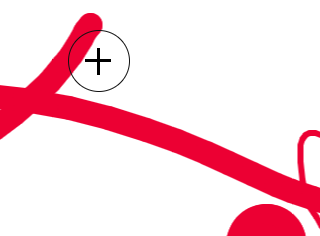
To reset the size of your pen press SHIFT and press the MIDDLE MOUSE BUTTON (mouse wheel). This will set the size to default and also show the indicator for a short period of time to confirm that the size has been reset.
You can also change the size of eraser tool!
When using touchscreen or stylus
Changing the pen size is currently unsupported with this input method. We are working hard on bringing all features to all input methods. Sorry for the inconvenience.
You can vote for this feature on our suggestions page!
Learn more about different topics or uncover some hidden extras that are included in the Onlineboard. Read our comprehensive manual and learn something new today.